HR Space
Hiring, organized in one space
An HR space gives your people team a home for recruitment. Post openings, track candidates through a clear pipeline, and keep hiring out of scattered spreadsheets and inboxes, inside the same workspace as everything else.
- Job openings with role, location, and employment type
- Move candidates through a visual hiring pipeline
- Scoped to the HR team with role based permissions
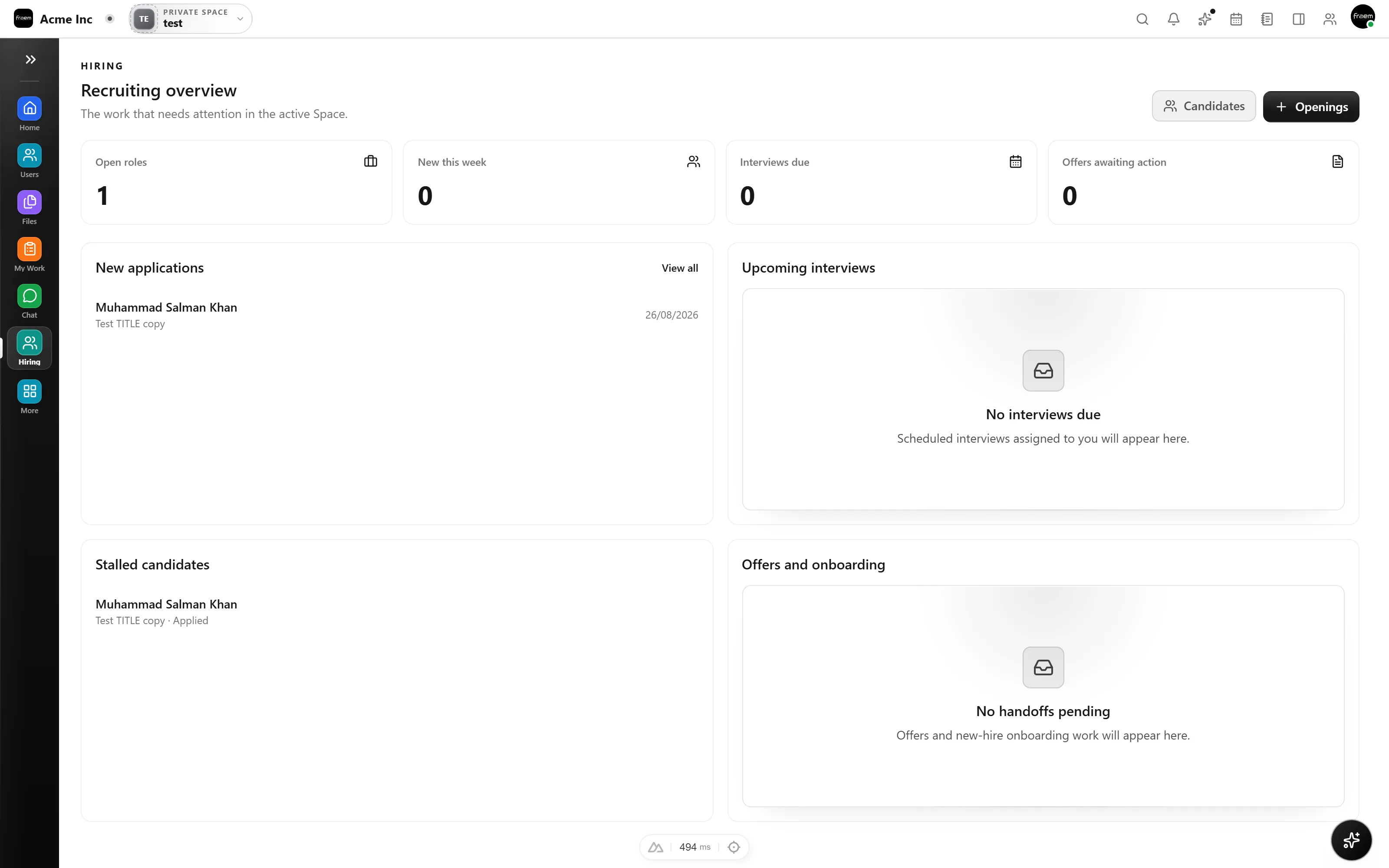
Post and track job openings
Create an opening in seconds with a title, location, and employment type. Every role shows how many candidates are in play, so nothing slips through the cracks.
- Full time, part time, and contract roles
- Candidate counts on every opening
- Status tracking from open to filled
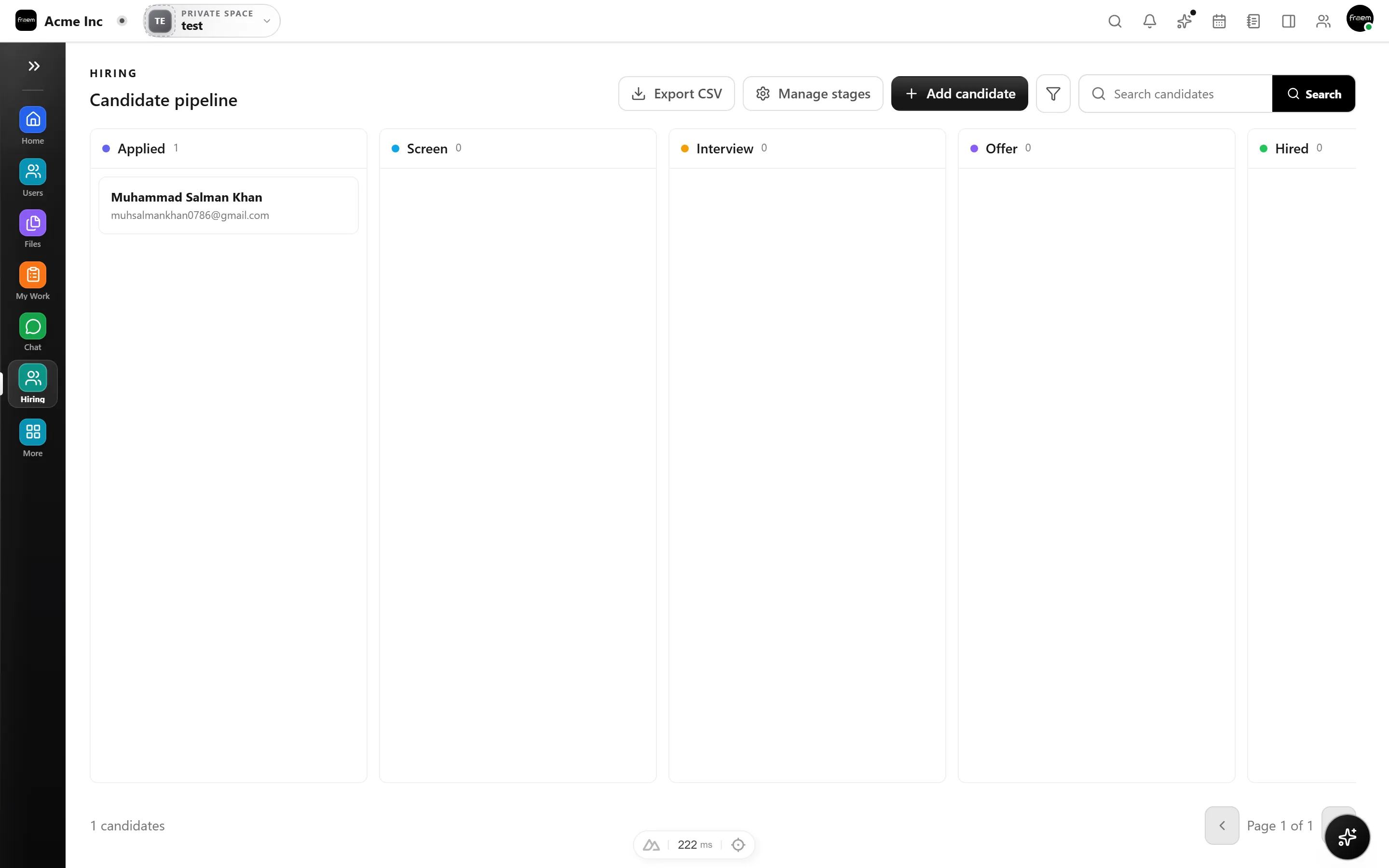
A hiring pipeline you can see
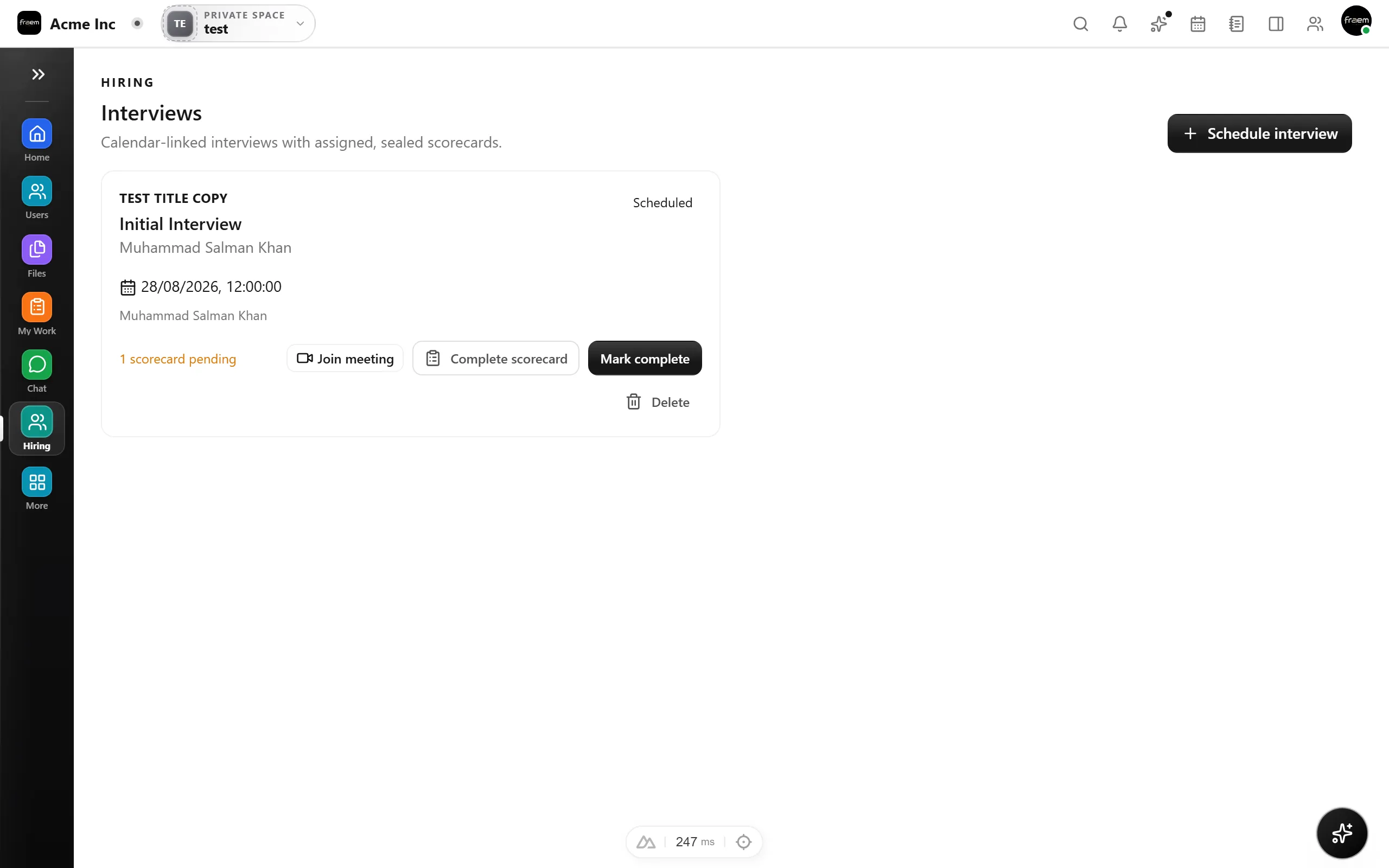
Move candidates through stages as they progress, keep notes and decisions attached to each person, and give the whole HR team a shared, up to date view of every search.
- Drag candidates between hiring stages
- Decisions and history stay with each candidate
- One shared view for the whole HR team
FAQ
Frequently asked questions
It covers the essentials teams need, job openings and a candidate hiring pipeline, inside your workspace, so you can run recruitment without buying a separate applicant tracking system.
The HR space is scoped with role based permissions, so only the people you add to it can see openings and candidates.
Yes. The HR space shares the same people, files, and permissions as the rest of your workspace, and sits alongside Projects, Chat, and Calendar.
Ready to unify your workspace?
Create a workspace in minutes and explore Projects, Chat, Calendar, and Whiteboard together.
- Explore the published plans
- Choose the modules you need
- Isolated tenant workspaces