Sprint planning
See sprint deadlines alongside team meetings.
Calendar
See delivery pressure next to meetings and bookings, so you plan the week around real work.
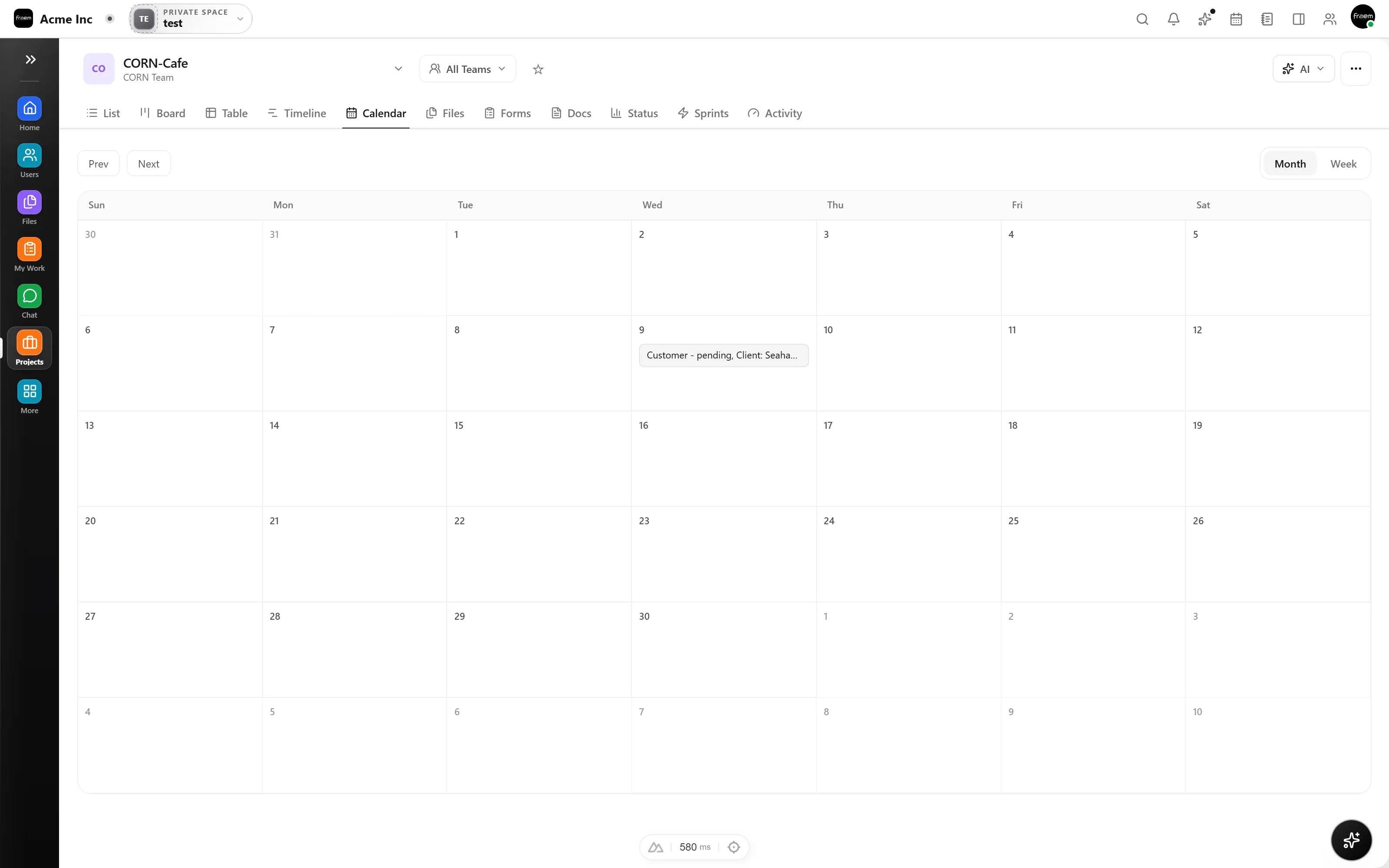
Connecting deadlines to your calendar means you can see delivery pressure in the same view as meetings and bookings. Adjust plans when work is at risk without switching tools.
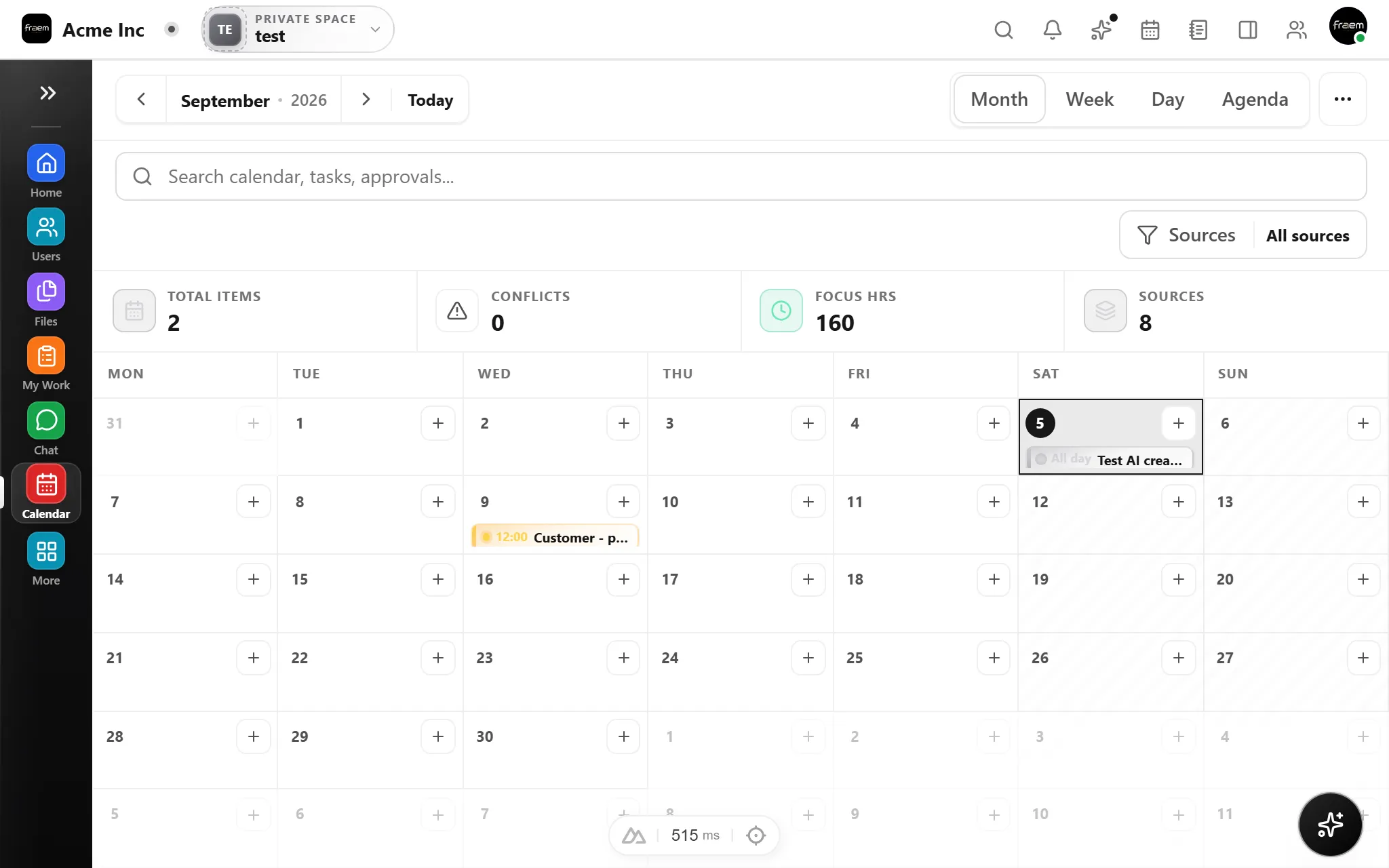
Task deadlines don't live in isolation. Rowsh pulls due dates from Projects into Calendar automatically so you see delivery pressure, meetings, and bookings in one unified timeline, no manual entry required.
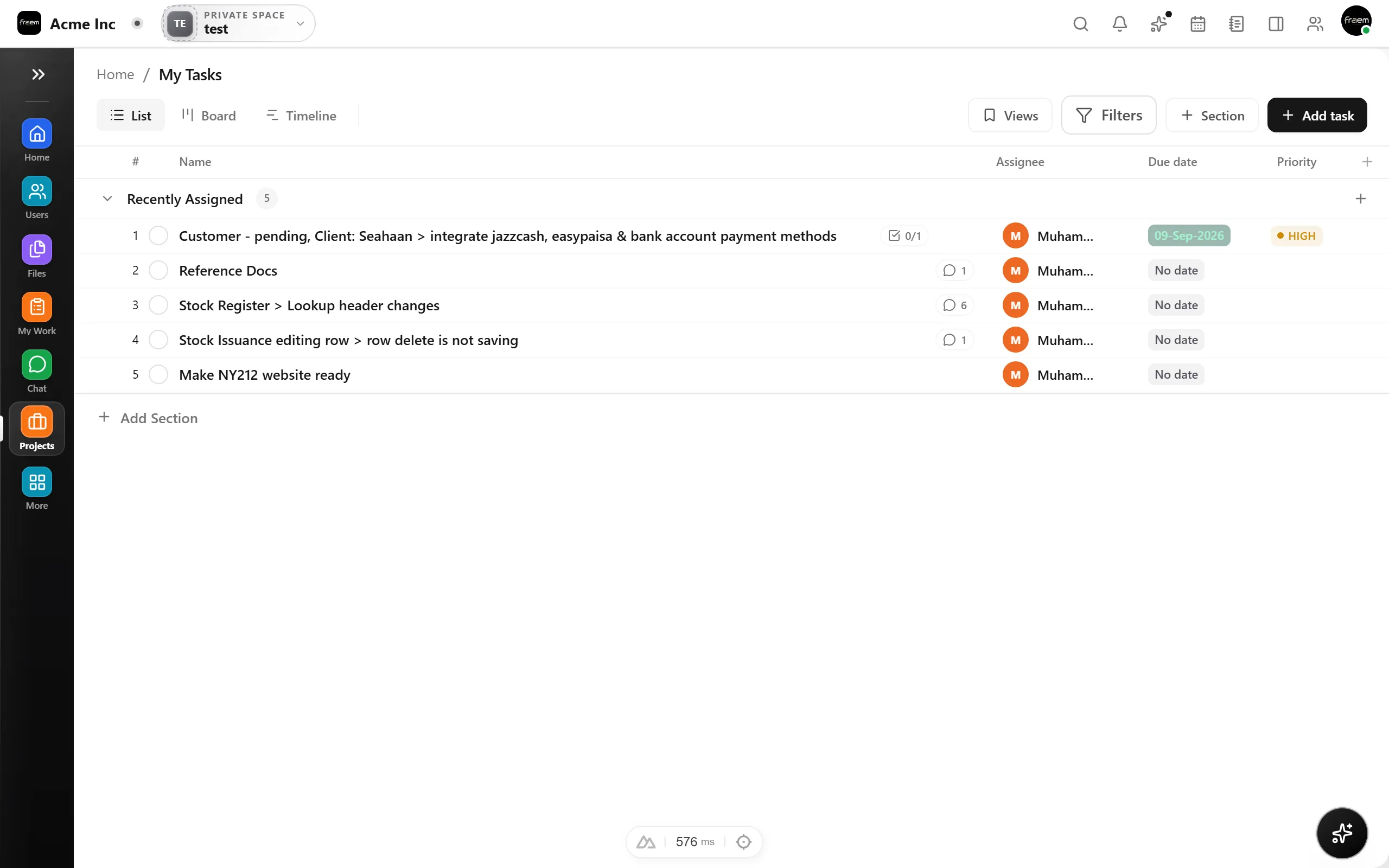
Task deadlines in Calendar connect execution pressure to planning reality.
See sprint deadlines alongside team meetings.
Track milestone deadlines in calendar view.
Balance meetings against delivery pressure.
Spot overdue tasks before they impact the schedule.
FAQ
Deadlines from Projects appear as calendar markers on their due dates. You can see them in month, week, and day views alongside regular events and bookings.
Yes. Deadlines are visually distinct from meetings and bookings, making it easy to spot delivery pressure at a glance.
Overdue deadlines remain visible on the calendar with clear visual indicators so you can track slipping work and adjust plans.
Yes. Clicking a deadline marker opens the associated task so you can review details, assignees, and status without switching to Projects.
Create a workspace in minutes and explore Projects, Chat, Calendar, and Whiteboard together.