Kanban boards
- Rowsh
- Included
- Trello
- Included
Compare
Trello made Kanban easy, and then your team's real work spilled into WhatsApp groups, spreadsheets, and calendar invites. Rowsh keeps the drag and drop simplicity and adds the chat, calendar, and files your boards can't hold.
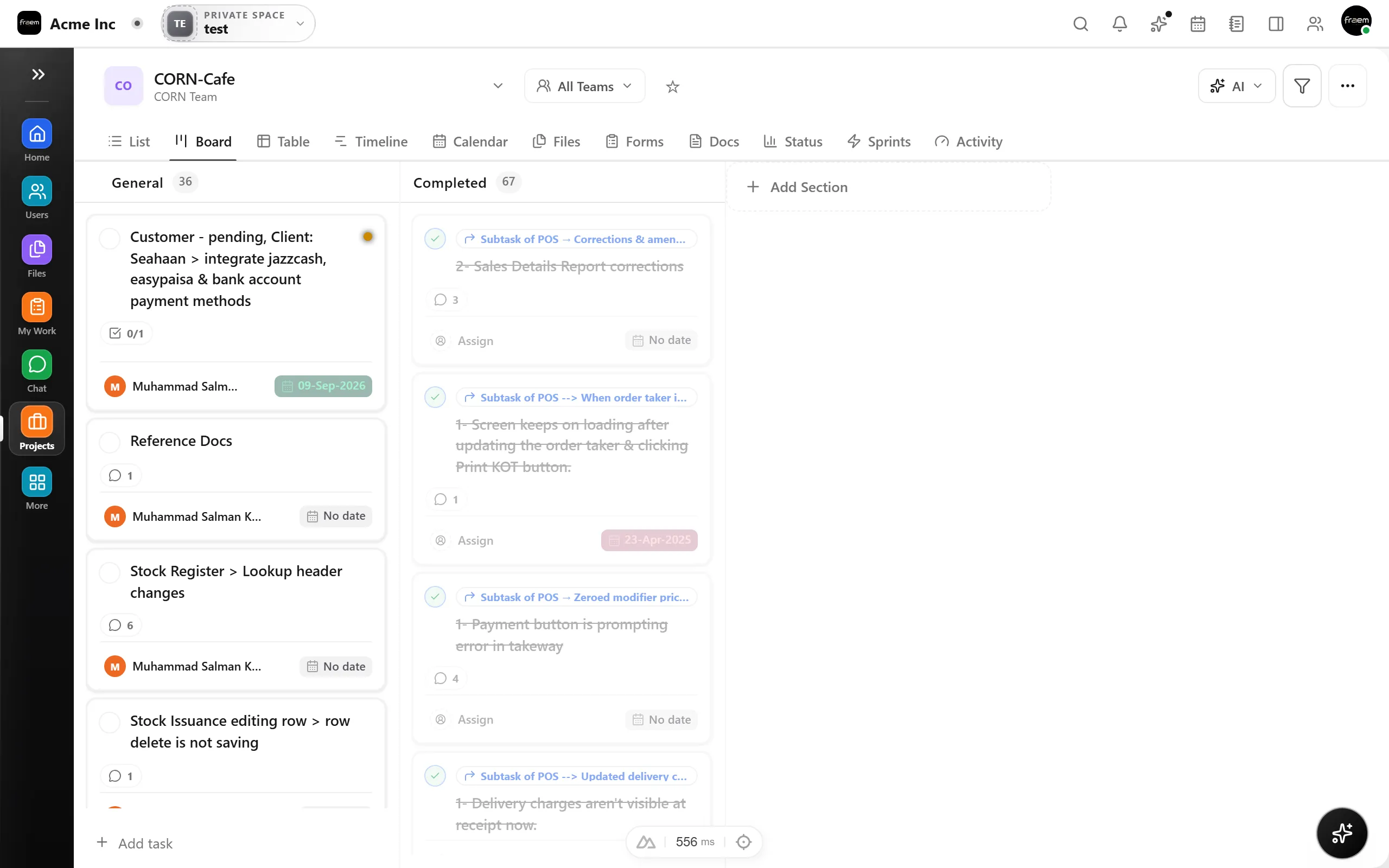
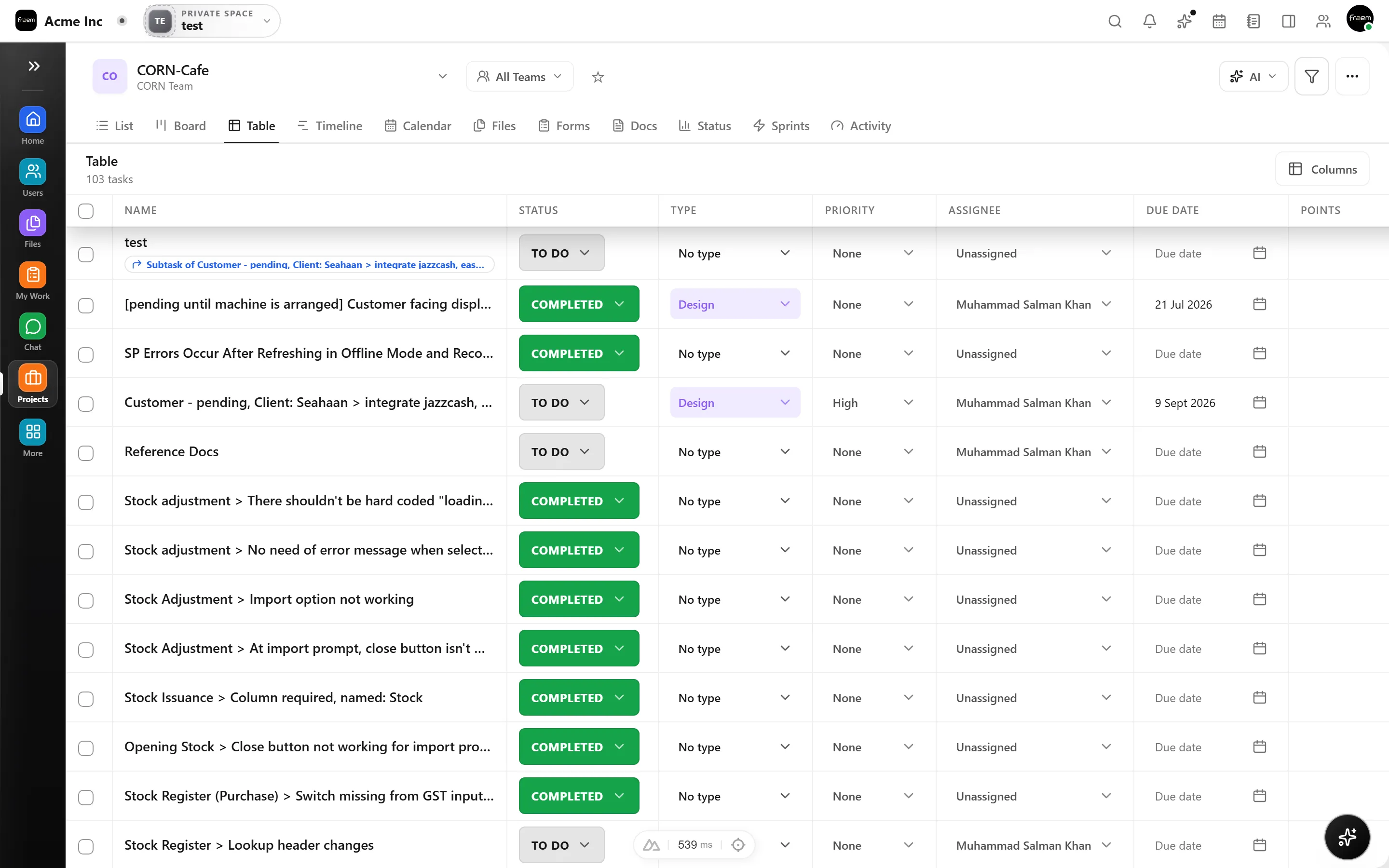
A board shows flow, it can't show a deadline crunch three weeks out or a queue that needs triage. Rowsh gives you Kanban, list, and timeline over the same tasks, so you plan in the view that fits the question, without add ons.
When the board lives in one app and the discussion in another, nothing connects: decisions in chat never reach the card, and cards get stale. Rowsh puts channels, DMs, and calls in the same workspace, and any message becomes a task on the board.
A current look at boards, collaboration, AI, and pricing across both products.
| Feature | Rowsh | Trello |
|---|---|---|
| Kanban boards | Included | Included |
| List & timeline views | Included | Table and Timeline views on Premium |
| Subtasks & dependencies | Included | Advanced checklists, without native task dependencies |
| Team chat included | Included | Not included |
| Voice & video calls | Included | Not included |
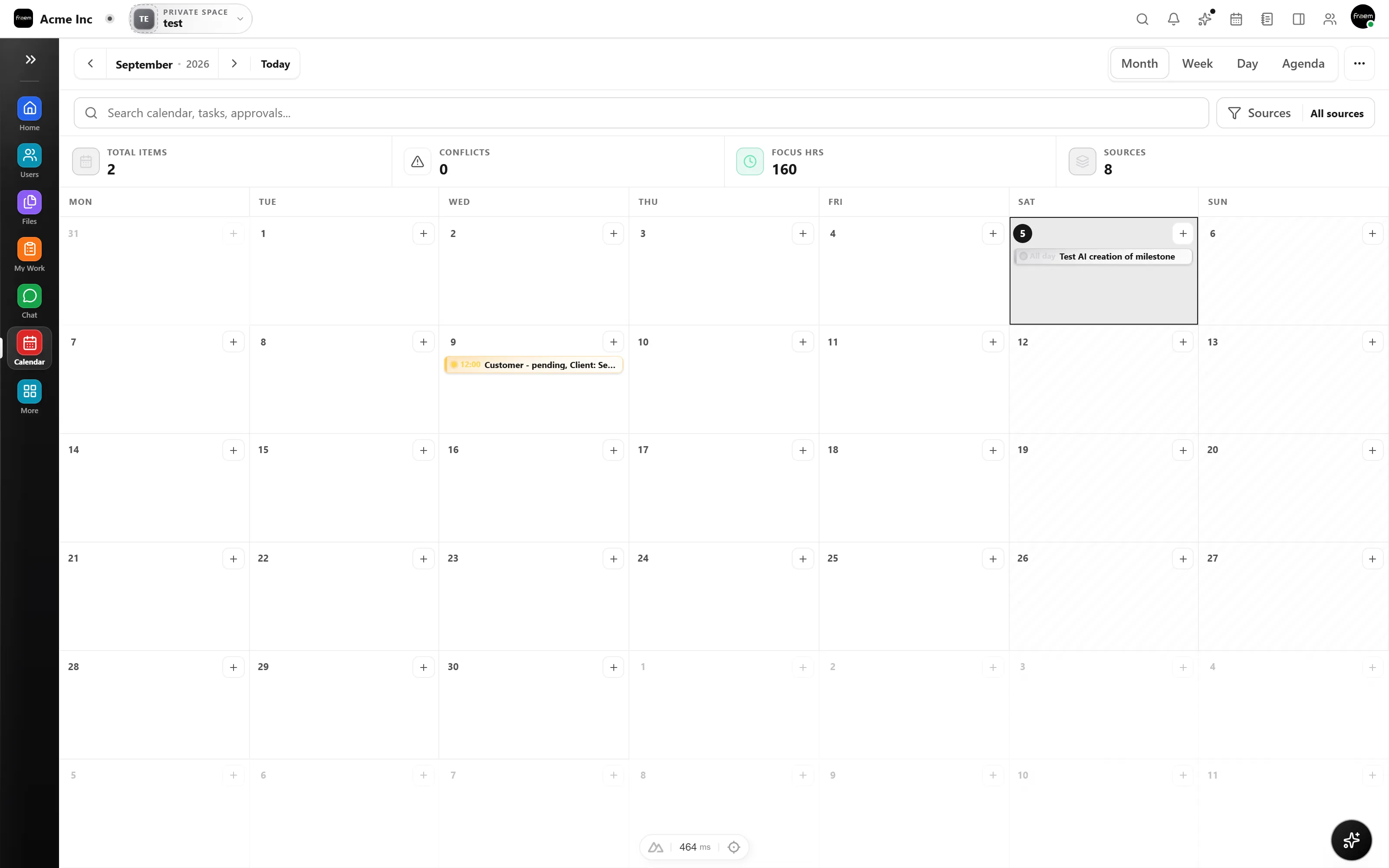
| Team calendar & booking links | Included | Planner from Standard, Calendar view on Premium |
| Notes & whiteboards | Included | Not included |
| Automations | Included | Usage limits through Standard, unlimited on Premium |
| AI summaries & copilot | Included | AI included from Standard |
| Starting paid plan | Live pricing published by Rowsh | $5 USD per user monthly when billed annually, or $6 monthly |
Reviewed 5 September 2026 using Trello's official pricing page. Plans, prices, and availability can change.
See live Rowsh plansFAQ
Yes, the board view is the same drag and drop Kanban your team already knows. The extra views and modules are there when you need them, not in the way when you don't.
Yes. Describe the boards, lists, cards, files, and users involved. Any migration service, scope, timing, or fee will be confirmed in writing.
Rowsh chat provides channels, DMs, threads, and voice or video calls alongside boards, so teams can keep discussion and delivery in one workspace.
No. Rowsh includes a team calendar with scheduling links, weekly availability, recurring events, and task deadlines shown alongside meetings.
Create a workspace in minutes and explore Projects, Chat, Calendar, and Whiteboard together.